GrapghQL is an open-source specification for client-server communication. It is a query language and execution engine for application programming interfaces (APIs).
GrapghQL vs Rest APIs
- GraphQL is an application layer server-side technology and REST is an architectural style that specifies constraints.
- GraphQL can be organized in terms of a schema while REST can be a collection of endpoints.
- REST API entry point can be multiple controllers. For GraphQL, the middleware acts like a single controller which is the single entry point.


Some GraphQL Fundamentals
Fields
A field is one discrete piece of information available to request within a selection set.
Object Types
These are reusable objects. Object can have fields that return a particular type, and methods that take arguments.
Queries
Query is a GrapghQL operation that is used to read or fetch values.
Schema
Schema is a description of the data clients can request from a GraphQL API.
Who does not love reading?

Reading is one my favorite hobbies. Ever since I was a kid I loved reading. I used to read anything and everything. Now with my limited spare time I choose to read my favorite genres such as directive, suspense, thrillers, mystery, and horror. If you hate these genres, don’t worry, you will still like my GraphQL example 😊 Now, you know why I was talking about books. We are creating a simple project to understand GraphQL fundamentals and it is called Bookworm. It simply allows user to query book data. In this article, we only focus on some basic concepts in GrapghQL . Therefore we use some mock data instead of using a database and ORM.
Let’s see how to create a GraphQL application with .NET Core framework.
1. Create .Net Core 6 Web API project.
2. Install the following nuget packages.
| GraphQL.MicrosoftDI 4.8.0 | Microsoft DI extensions for GraphQL |
| GraphQL.Server.Transports.AspNetCore 5.2.1 | HTTP middleware for GraphQL |
| GraphQL.MicrosoftDI 4.8.0 | Microsoft DI extensions for GraphQL |
| GraphQL.Server.Transports.AspNetCore.SystemTextJson 5.2.1 | GraphQL middleware using System.Text.Json for serialization |
| GraphQL.Server.Ui.Altair 5.2.1 | GraphQL Client IDE that enables you interact with GraphQL server |
Note: In order to make these packages work, the versions must be compatiple with each other and .NET Core 6 as well.

There are two models that we consider for Bookworm project, Book and Name and BookFormatType enumeration. Book model has Name property.
3. Writting Enum Type.
    public class BookFormatTypeEnumType : EnumerationGraphType<BookFormatType>
    {
        public BookFormatTypeEnumType()
        {
            Name = "BookFormatType";
            Description = "Book format type";
        }
    }
4. Create models.
    public class Name
    {
        public string FirstName { get; set; }

        public string LastName { get; set; }
    }
public class Book
{
public int BookId { get; set; }
/**
* For Paperback, and Hard cover, it is ISBN10.
* Kindle will have ASIN. None for Audio books.
**/
public string Isbn10OrAsin { get; set; }
public string Isbn13 { get; set; }
public string Title { get; set; }
public Name AuthorName { get; set; }
public BookFormatType? Format { get; set; }
/**
* For Paperback, Hard cover, and Kindle, length is the number of pages.
* For audio books, it is the number of minutes.
**/
public int? Length { get; set; }
public DateTime? PublishedDate { get; set; }
} public enum BookFormatType
{
Paperback = 1,
Hardback = 2,
Kindle = 3,
Audio = 4
}5. Writing a Graph Type for Models.
    public class NameType : ObjectGraphType<Name>
    {
        public NameType()
        {
            Name = "Name";
            Description = "NameType";
            Field(t => t.FirstName);
            Field(t => t.LastName);
        }
    }
public class BookType : ObjectGraphType<Book>
{
public BookType()
{
Name = "Book";
Description = "BookType";
Field(t => t.BookId);
Field(t => t.Isbn10OrAsin, nullable: true);
Field(t => t.Isbn13, nullable: true);
Field(t => t.Title);
Field<NameType>(
"AuthorName",
resolve: context => context.Source.AuthorName
);
Field<BookFormatTypeEnumType>("BookFormatType", resolve: context => context.Source.Format);
Field(t => t.Length, nullable: true);
Field(t => t.PublishedDate, nullable: true);
}
}6. Writing Query Class.
    public class BookQuery : ObjectGraphType
    {
        public BookQuery()
        {
            Field<ListGraphType<BookType>>(
                "Book",
                resolve: context => BookMockData.GetBooks()
            );
        }
    }
7. Writing Schema Class.
    public class BookSchema : Schema
    {
        public BookSchema(IServiceProvider serviceProvider) : base(serviceProvider)
        {
            Query = serviceProvider.GetRequiredService<BookQuery>();
        }
    }
8. Configure ASP.NET Core.
using Bookworm.WebApi;
using GraphQL.MicrosoftDI;
using GraphQL.Server;
using GraphQL.Types;

var builder = WebApplication.CreateBuilder(args);

// Add services to the container.

// add Book schema
builder.Services.AddSingleton<ISchema, BookSchema>(services => new BookSchema(new SelfActivatingServiceProvider(services)));

// register graphQL
builder.Services.AddGraphQL(options =>
{
    options.EnableMetrics = true;
}).AddSystemTextJson();

builder.Services.AddControllers();
// Learn more about configuring Swagger/OpenAPI at https://aka.ms/aspnetcore/swashbuckle
builder.Services.AddEndpointsApiExplorer();
builder.Services.AddSwaggerGen();

var app = builder.Build();

// Configure the HTTP request pipeline.
if (app.Environment.IsDevelopment())
{
    app.UseSwagger();
    app.UseSwaggerUI();
    app.UseGraphQLAltair();
}

// Add GraphQL middleware
app.UseGraphQL<ISchema>();

app.UseHttpsRedirection();

app.UseAuthorization();

app.MapControllers();

app.Run();
As I mentioned above, we use mock data in this project to avoid any complexity. The complete project is available in Github.
Click here for source code.
Querying the API
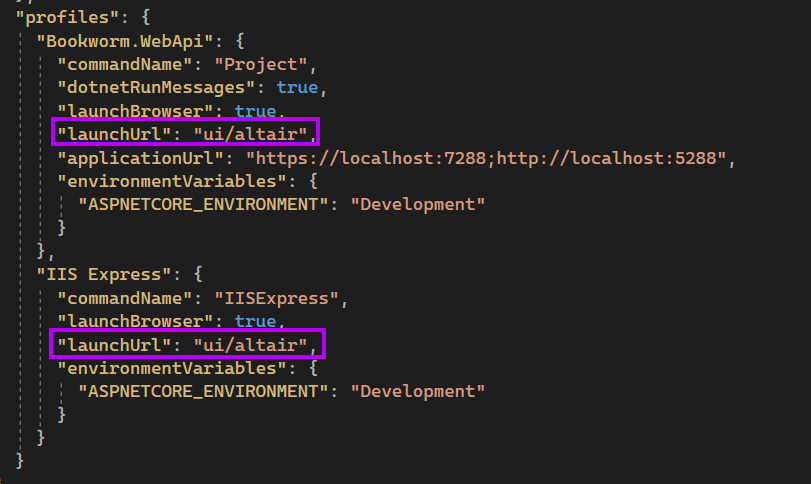
Change launchUrl to “ui/altair” in profiles in launchSettings file. This will open Altair IDE when you run the application.
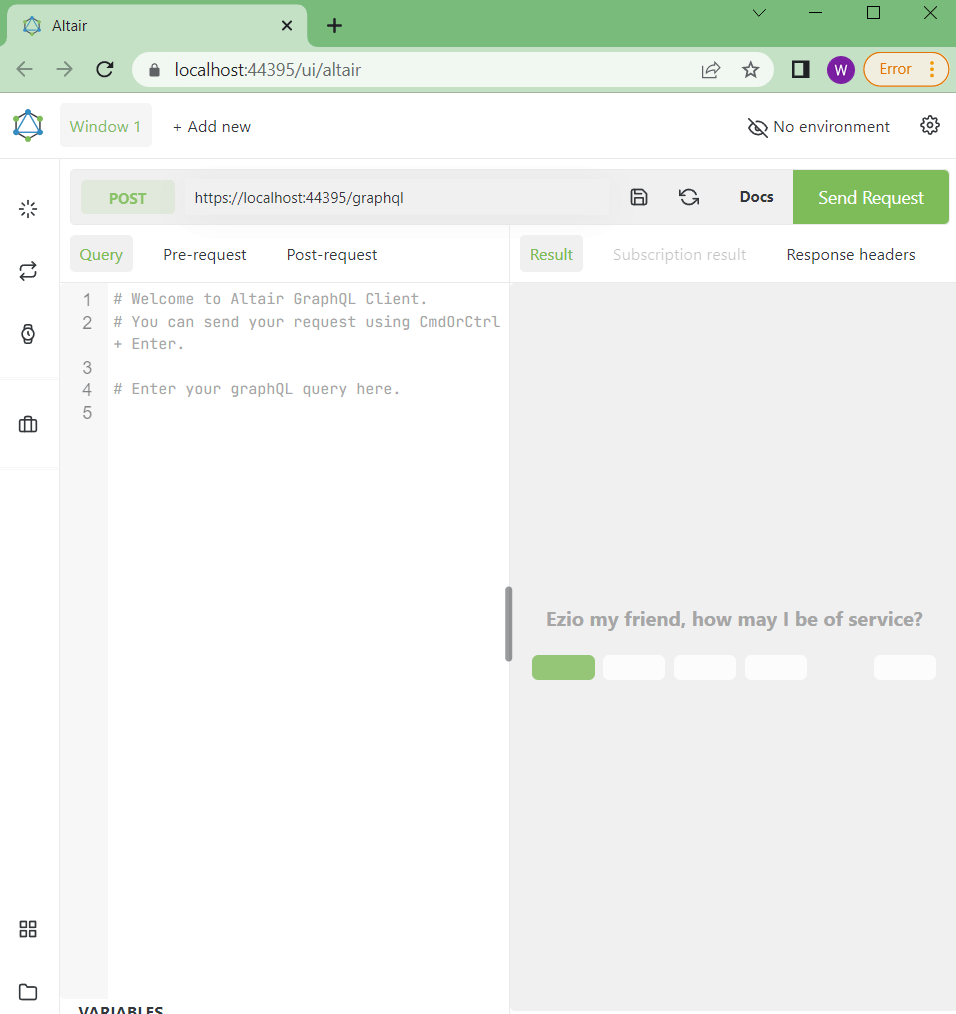
Run the application and this will open Altair. This is how it looks like.
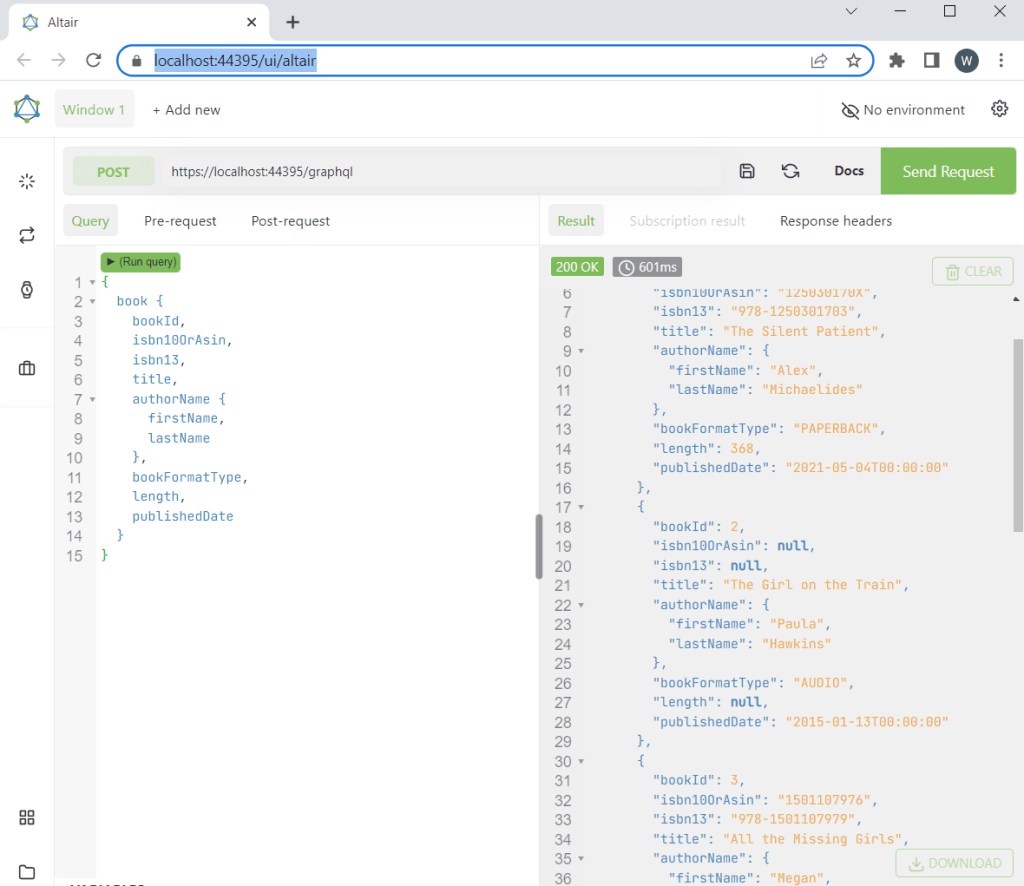
You can try retrieving all the fields or some selected ones. First, try querying all.
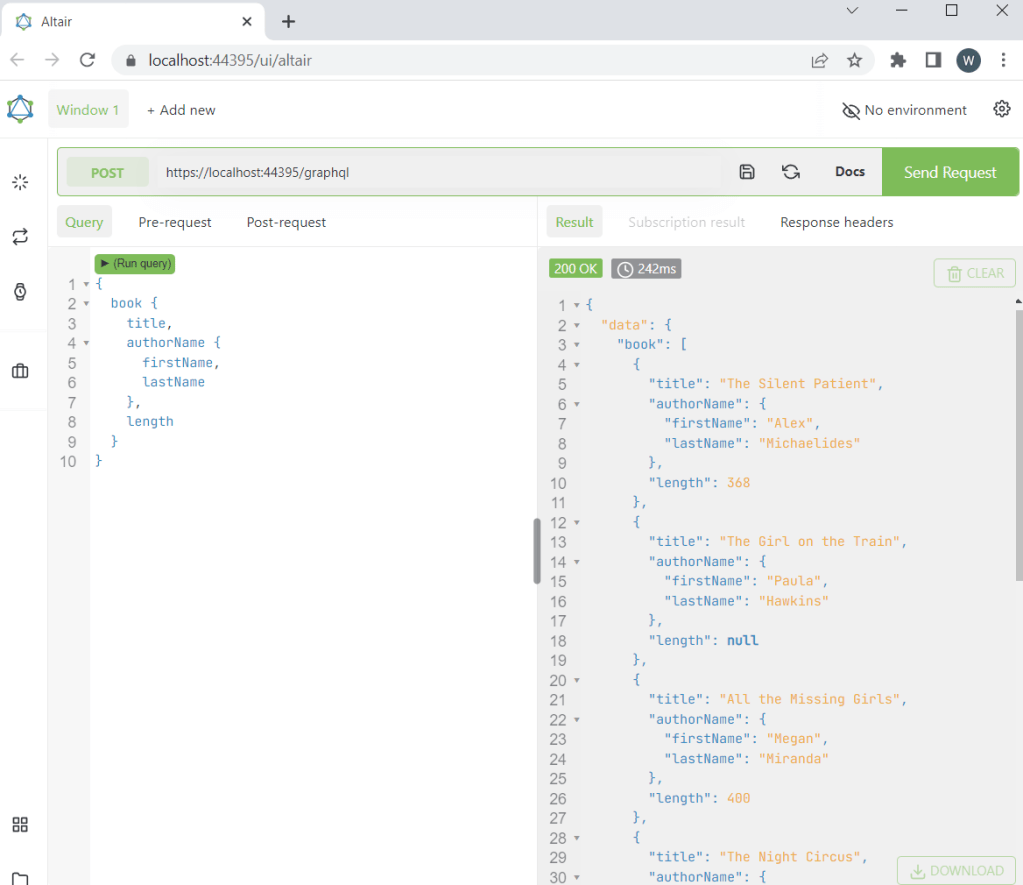
The following query retrieves only the book title, author name, and length.
 Silent Programmer